Top 10 Wifi Doorbell Features You Must Know About?
The rise of smart home technology has transformed how we interact with our living spaces. Among these innovations, the Wifi Doorbell stands out. According to a report by Statista, the smart doorbell market is expected to reach $2.4 billion by 2025. This growth highlights how homeowners are increasingly prioritizing security and convenience.
Wifi Doorbells offer features that enhance safety and comfort. They allow real-time communication with visitors, reducing the need to open doors to strangers. A survey by Pew Research indicates that 70% of Americans consider security features essential when choosing smart home devices. Yet, not all Wifi Doorbells are created equal; consumers must understand the critical features that separate them.
It's easy to overlook potential drawbacks, such as privacy concerns and reliance on stable internet connections. Some users report connectivity issues, which can affect performance. Awareness of these challenges is essential when investing in a Wifi Doorbell. This guide will explore the top ten features that can help users make informed decisions for their smart home security needs.
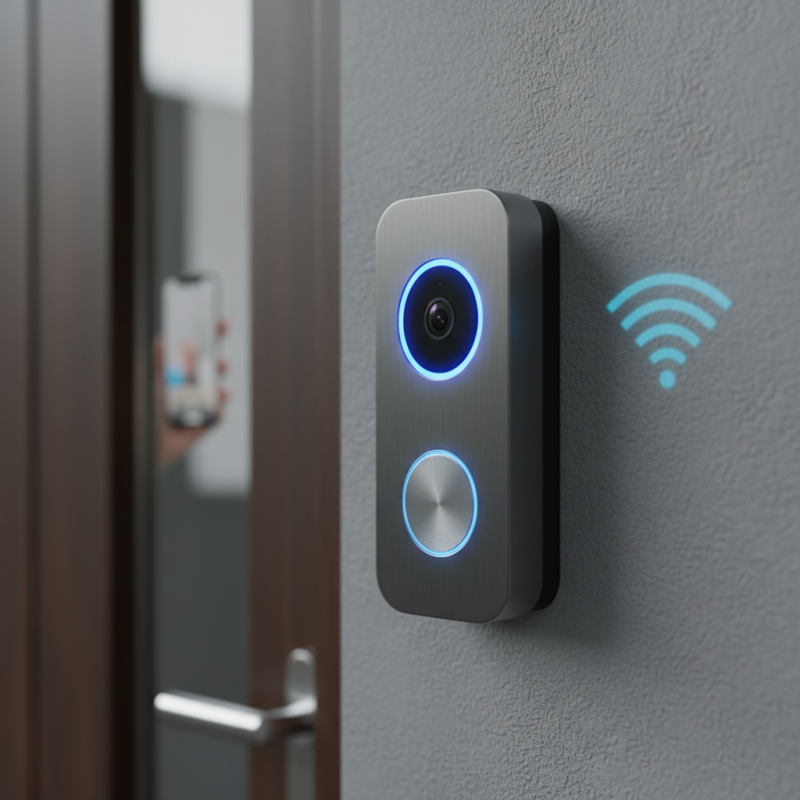
Top 10 Essential Features of Wifi Doorbells for Smart Homes
When exploring wifi doorbells for smart homes, certain features stand out as essential. A high-definition camera is crucial for clear video feed. Many models offer HD resolution, providing clearer visuals of visitors. According to a report by MarketsandMarkets, HD functionality increases user satisfaction significantly.
Two-way audio communication is another must-have. This feature allows homeowners to interact with guests remotely. Many users report feeling safer, knowing they can speak to visitors even when away. In an era where home security is paramount, this adds a layer of confidence.
Motion detection is important in modern models. Alerts sent to smartphones keep users informed, even during travel. However, false alarms can be annoying. Many systems struggle to distinguish between people and pets. This inconsistency can lead to frustration, highlighting the need for further technological improvements. Users want reliability without unnecessary notifications.
Integration with smart home systems enhances functionality. Seamless pairing with devices like smart locks and lights creates a cohesive experience. Yet, compatibility issues persist. Not every doorbell works perfectly with all smart systems. This reveals the ongoing evolution in technology and the need for better standardization.
Understanding Video Resolution: HD vs. 4K in Wifi Doorbells
When choosing a WiFi doorbell, understanding video resolution is crucial. HD and 4K resolutions offer different levels of clarity. HD, typically 720p or 1080p, provides good detail for everyday monitoring. However, as reported by the Consumer Technology Association, 4K technology is becoming increasingly popular, with over 50% of new smart cameras now featuring 4K capabilities. This higher resolution offers four times the pixel density of HD, leading to sharper images and clearer facial recognition.
While the benefits of 4K are evident, there are challenges. Higher resolution requires more bandwidth, which may strain home networks. A study from the National Institute of Standards and Technology highlights that users often overlook their network's capability, leading to frustrating experiences. In real-world settings, many homes do not support seamless 4K streaming, causing lag or buffering. Thus, ensuring a robust network infrastructure is as vital as the device itself.
Moreover, 4K video files are larger, consuming more storage space. Users may face issues with managing storage effectively. This can lead to anxious decisions about what footage to keep or delete. Balancing the desire for high-quality video with practical storage limitations is a common dilemma. Therefore, buyers should carefully consider their specific needs and resources when opting for a higher resolution in WiFi doorbells.
Two-Way Audio: Enhancing Communication with Visitors
Wi-Fi doorbells offer an incredible feature: two-way audio. This function revolutionizes how we communicate with visitors. With a smart doorbell, you can talk to delivering personnel or guests from anywhere. You simply need your smartphone or tablet. Imagine being in the kitchen and receiving a delivery. Instead of rushing to the door, you can instruct the delivery person where to leave your package.
While two-way audio enhances convenience, it isn’t without challenges. Audio quality can vary based on your internet connection. Sometimes, background noise makes it hard to hear clearly. You may need to adjust settings for better sound. Additionally, not all users feel comfortable talking through a doorbell. Some might worry about privacy or the risk of appearing unwelcoming. To truly maximize this feature, users must evaluate their comfort level and security preferences.
Despite these concerns, two-way communication opens doors to new possibilities. You can greet friends, screen uninvited guests, or even ask maintenance personnel questions. This feature adds a layer of security to your home. But as with any technology, it's essential to stay informed and adapt. Utilizing two-way audio effectively requires practice and adjustment for the best experience.
Motion Detection and Alerts: Keeping Your Home Secure
Motion detection has become a pivotal feature in modern wifi doorbells. This technology enhances home security significantly. When someone approaches your door, the doorbell's sensors are activated. They send instant alerts to your smartphone, allowing you to see who is there. This real-time feedback ensures you're always aware of activity around your front door.
However, the effectiveness of motion detection can vary. In some cases, false alarms may occur due to animals or passing cars. It is essential to adjust sensitivity settings to minimize these occurrences. The goal is to create a reliable system that responds only to relevant movements. Some users might struggle to find the right balance, leading to frustration. Periodic adjustments may be necessary for optimal performance.
Notifications can be tailored to your preferences. You might receive alerts through an app, SMS, or even email. Customizing alert types can help you avoid being overwhelmed by alerts. It is critical to explore these settings to meet your individual needs. However, keep in mind that each home environment is unique. What works for one person may not be ideal for another. Testing different configurations will lead to a better experience.
Top 10 Wifi Doorbell Features You Must Know About
| Feature | Description | Benefits |
| Motion Detection | Detects any movement near the door. | Enhances security and peace of mind. |
| Real-Time Alerts | Sends immediate notifications to your phone. | Stay informed of visitors and potential threats. |
| Two-Way Audio | Allows communication with visitors via an app. | Convenient for interacting without opening the door. |
| Video Quality | High-definition video for clear imagery. | Better identification of visitors. |
| Night Vision | Captures clear images in low-light conditions. | Security at all hours. |
| Cloud Storage | Stores video footage securely online. | Easy access to recorded events. |
| Wide-Angle Lens | Expands the viewable area. | Less blind spots for better coverage. |
| Mobile App Integration | Control and view from your smartphone. | Remote monitoring and operation. |
| Weather Resistance | Designed to withstand various weather conditions. | Durable performance for outdoor installations. |
| Smart Home Compatibility | Integrates with other smart devices. | Enhanced automation and control. |
Integration with Smart Home Systems: Compatibility and Automation
Integration with smart home systems is a game changer for wifi doorbells. These doorbells don’t just alert you when someone is at the door. They can become central to your digital home ecosystem. With proper setup, your doorbell can work in harmony with lights, locks, and cameras.
Imagine receiving a notification when a package arrives, and your outdoor lights automatically turn on to guide the delivery person. It's seamless and safe. However, compatibility can sometimes be tricky. Not all devices communicate well with each other. You might need to check if your existing devices support the same protocols or apps. Even if you invest time in setup, integration may not always go smoothly.
Automation can enhance security. For example, your doorbell can trigger a camera to start recording when it detects motion. Yet, relying solely on these systems can lead to frustration. Power outages or internet issues may disrupt everything. Monitoring systems sometimes lag or miss alerts. Think about how crucial it is to have backup methods in place, such as traditional locks or door chains, for that extra layer of security.
Top 10 Wifi Doorbell Features You Must Know About